PDFPreview#
README
PDFPreview#
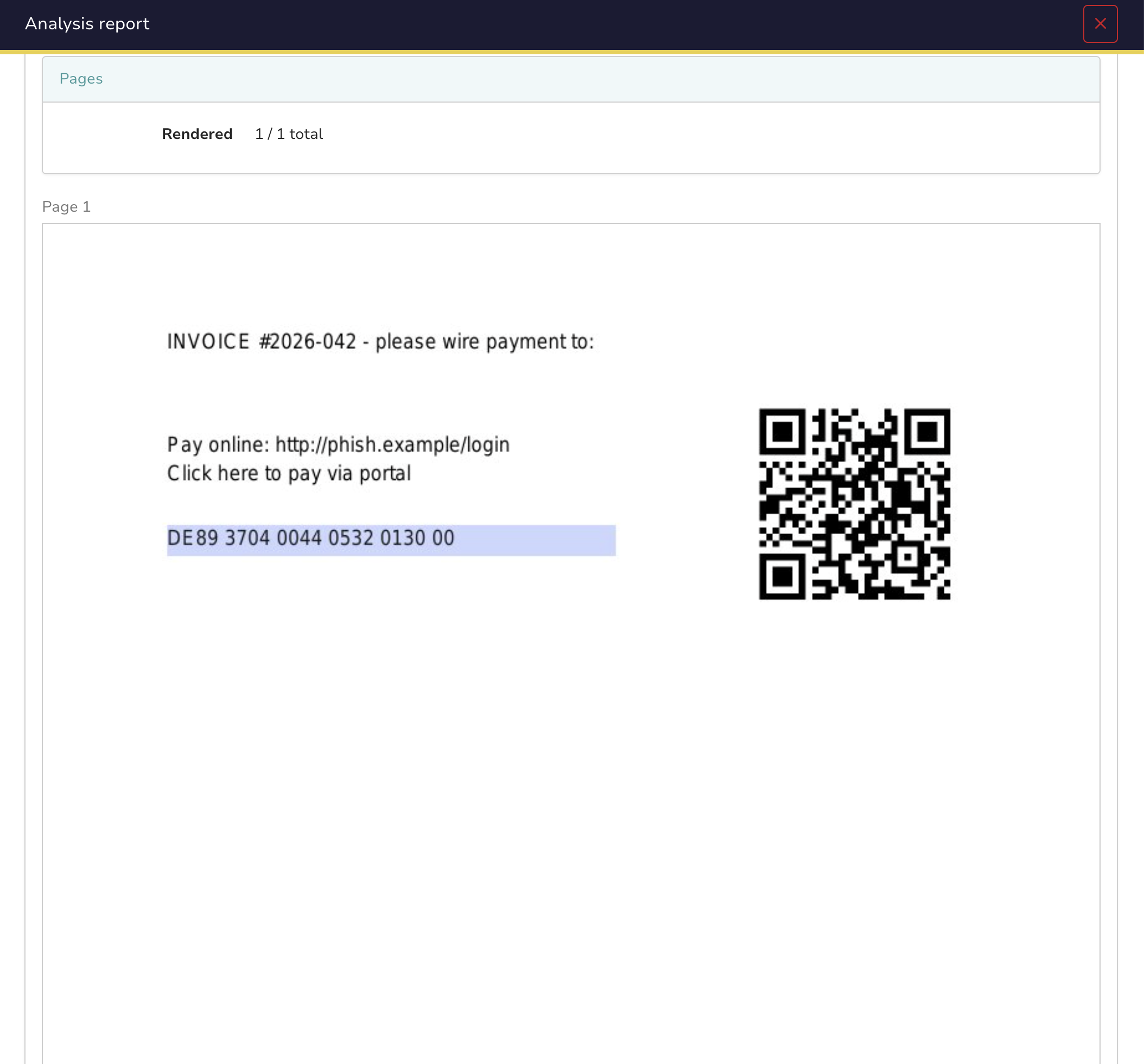
Renders the pages of a PDF as images so you can see what the file looks like without opening it. Useful as a first look at a PDF from an untrusted source.
Rendering is done with poppler (pdftoppm). The PDF is never opened in a viewer and no JavaScript, forms or embedded content are executed or parsed.
Report#
- Page previews as images, up to
max_pages - Page count (rendered / total)
- Taxonomy:
PDFPreview:Pages=N, orPDFPreview:Render=failed(suspicious) when nothing could be rendered
A password-protected PDF simply shows up as a render failure instead of an error. That case is flagged as suspicious, since password-protecting an attachment is a common trick to evade scanning.
Configuration#
| Parameter | Default | Description |
|---|---|---|
max_pages |
10 | Maximum number of pages rendered as images |
dpi |
100 | Rendering resolution (72-150 recommended) |
Notes#
- No text extraction, no metadata, no malware verdict. It previews what the PDF looks like.
- No OCR: scanned documents are only visible in the preview images.
- As with any analyzer that processes untrusted files, please run it as a Docker analyzer (the default deployment in Cortex) and keep the image up to date.
PDFPreview#
Author: Fabien Bloume, StrangeBee
License: AGPL-V3
Version: 1.0
Supported observables types:
- file
Registration required: False
Subscription required: False
Free subscription: N/A
Third party service: N/A
Description#
Minimal-attack-surface PDF preview: renders pages as images via poppler (and nothing more).
Configuration#
| max_pages | Maximum number of pages to render as images. Larger values increase processing time and report size. |
|---|---|
| Default value if not configured | 10 |
| Type of the configuration item | number |
| The configuration item can contain multiple values | False |
| Is required | False |
| dpi | Rendering resolution in DPI. Higher values produce sharper images but larger output. Recommended range: 72-150. |
|---|---|
| Default value if not configured | 100 |
| Type of the configuration item | number |
| The configuration item can contain multiple values | False |
| Is required | False |
Templates samples for TheHive#
No template samples to display.